
Close Menu
Hollywood News Reporter
  • Home
  • Film
  • Television
  • Box Office
  • Reality TV
  • Music
  • Horror
  • Books
  • Technology
  • Politics
  • Cover Story
  • Contact
    • About
    • Privacy Policy
    • DMCA / Copyright Disclaimer
    • Amazon Disclaimer
    • Terms and Conditions

Subscribe to Updates

Get the latest creative news from FooBar about art, design and business.

What's Hot

Putin relayed Iran war proposal to Trump, Kremlin says

Review: OTHER MOMMY Swings And Misses Too Often

Darly Dixon,’ ‘AHS,’ ‘Ghosts,’ and More Stars Strike at Pose at NYCC 2026 (Exclusive)

Facebook X (Twitter) Instagram
Hollywood News Reporter
  • Home
  • Film
  • Television
  • Box Office
  • Reality TV
  • Music
  • Horror
  • Books
  • Technology
  • Politics
  • Cover Story
  • Contact
    • About
    • Privacy Policy
    • DMCA / Copyright Disclaimer
    • Amazon Disclaimer
    • Terms and Conditions
Hollywood News Reporter
You are at:Home»Technology»How To Enable Live Activities On iPhone And CarPlay
Technology

How To Enable Live Activities On iPhone And CarPlay

By AdminOctober 11, 2026
Facebook Twitter Pinterest Telegram LinkedIn Tumblr Email Reddit
How To Enable Live Activities On iPhone And CarPlay


Keep track of important updates without having to open the app every two minutes.
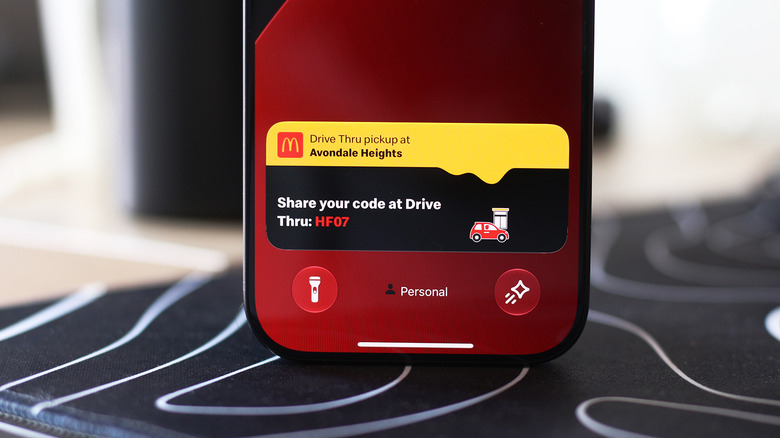

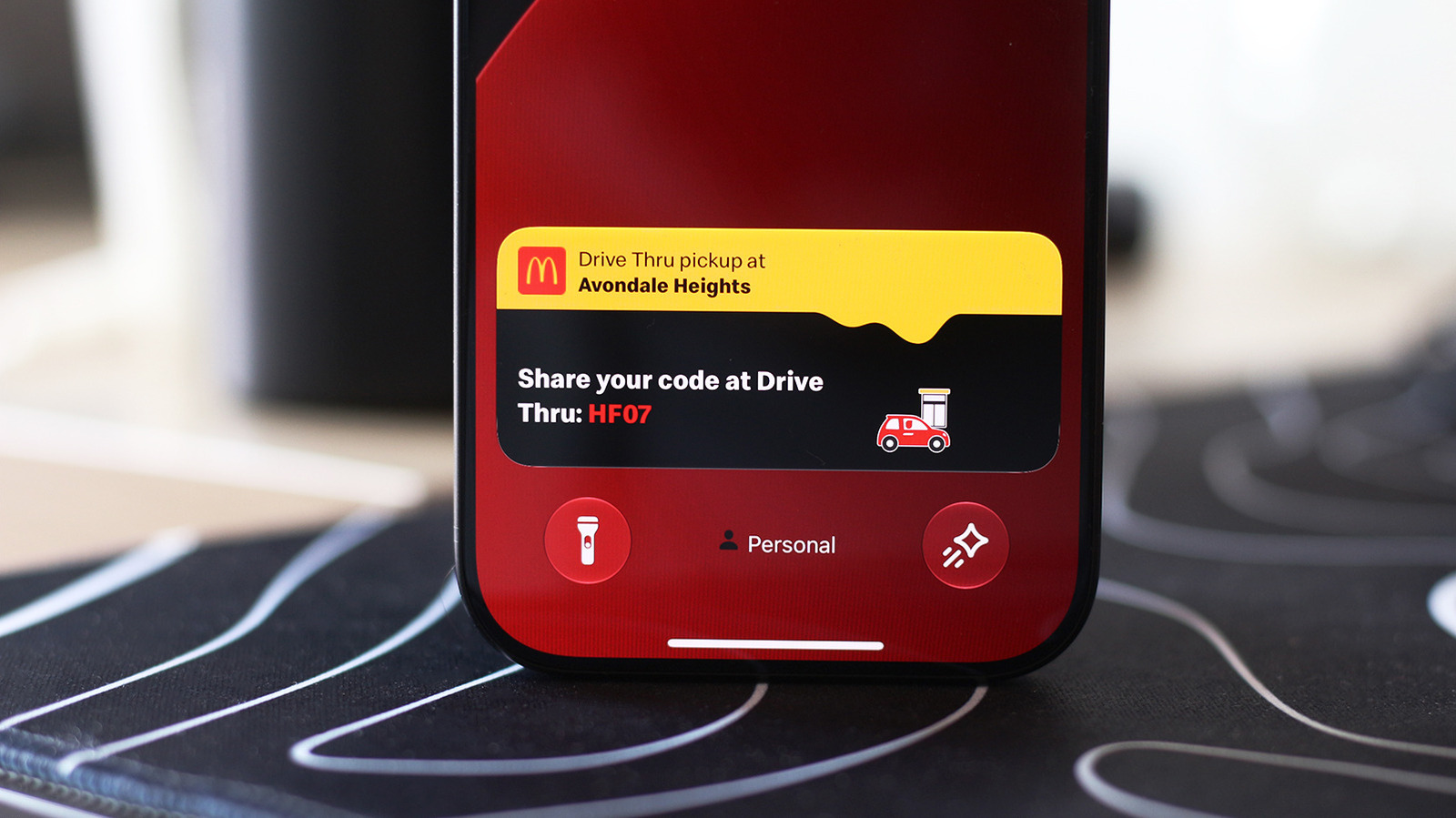
Close-up of a McDonald's Live Activity on an iPhone's Lock screen.
Adnan Ahmed for Engadget

At a time when most Android phones had already switched to tiny hole-punch cutouts to house their front-facing cameras, the iPhone 14 Pro launched with a long pill-shaped cutout. Apple has used this as its standard since then, aside from the budget “e” phones and iPhone Duo, and even made it smaller for the iPhone 18 Pro series.

This is because iPhones pack more than just a camera inside the cutout; there are additional sensors required for Face ID to work. Instead of hiding the pill with cleverly designed wallpapers, Apple leaned into it with the Dynamic Island, using the surrounding area to turn an otherwise awkward design constraint into a useful part of the iOS experience.

Your iPhone’s Live Activities show up on the Dynamic Island when using your phone. They display information you might want to keep an eye on without having to constantly switch back to the associated app: timers, navigation directions, music playback and sports scores can be displayed as Live Activities. Many third-party apps like food delivery and flight tracking services have also adapted to use the Dynamic Island.

Live Activities should be enabled by default, but if you don’t see them for certain apps, check if they’ve accidentally been turned off. On your iPhone, navigate to Settings > Apps and select any app that’s been giving you trouble. Make sure the Live Activities slider is enabled. Though Live Activities work independently of regular notifications, you might want to also enable notifications for the app if you’re not seeing the expected updates.

These activities will also appear on the Lock screen when you’re not using your device. To make sure this is enabled, visit Settings > Face ID & Passcode. Confirm your passcode, then scroll down to the Allow Access When Locked section and be sure Live Activities is on.

Using Live Activities on CarPlay
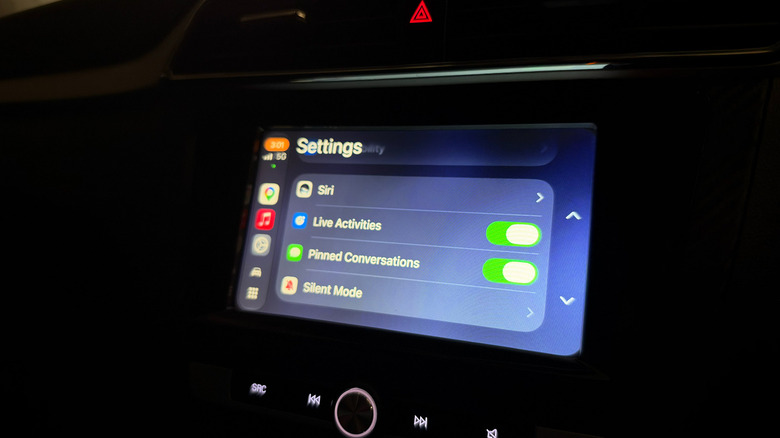

The Live Activities toggle in CarPlay.
Adnan Ahmed for Engadget

CarPlay makes it easy to access vital info from your iPhone without getting too distracted while driving. As part of this, it can display Live Activities so you can track the status of a food delivery or updates for an upcoming flight. 

Live Activities from your iPhone are automatically displayed on the CarPlay Dashboard, the split-screen view to the left of your app list. If you’re using an app that covers the entire screen, Live Activities will still be shown as notifications at the bottom of the display. If they become too distracting, you can always turn the feature off in CarPlay or disable Live Activities for specific noisy apps, as above.

In case you’re not seeing them, open the Settings app in CarPlay, scroll down and make sure the Live Activities toggle is enabled. You should also confirm the Suggestions in CarPlay (or Suggestions in Dashboard) option is turned on. If they still don’t appear, try turning off Driving Focus if it’s running.

Besides this, you can add widgets to CarPlay for quick controls and information from apps without having to open them. Widgets live in the leftmost section of the CarPlay Dashboard. Spend a little more time in the Settings app, and you’ll discover more ways to customize how CarPlay looks on your car’s display.


Original Source Link

Share. Facebook Twitter Pinterest LinkedIn Reddit WhatsApp Telegram Email
Previous ArticleBook Riot’s Deals of the Day for October 9, 2026
Next Article Geordie Greep Shows Cancelled Following Sexual Misconduct Allegations

Related Posts

AI Is Getting Really Good at Messing With Cybercriminals

October 10, 2026

Google Teases Its New ‘Fitbit Edge’ Wearable Ahead Of An October 12 Reveal

October 10, 2026

The DOJ Is Weighing Perjury Charges Against Cassidy Hutchinson

October 9, 2026

Apple Reportedly Plans Touchscreen MacBook And iPad Mini Launch For This Month

October 9, 2026

The New Alexa Tablets Feel Like a Blueprint for an Amazon Phone

October 8, 2026

Rivian R2 Owners Can Now Put A Live Pet Cam On Their Phone’s Lockscreen

October 8, 2026
Recent Posts

KILLER KITSCH: Freddy Was on Ninja Turtles?

‘The View’ Sara Haines Kicks Co-Host In Head, Video

A Blast From Futures Past

How to Watch ‘Saturday Night Live’ Live Online, October 10, 2026

AI Is Getting Really Good at Messing With Cybercriminals

Pick Up One of These Books & Protect the Freedom to Read

‘Other Mommy’ To Cook Up $20M Opening, ‘Social Reckoning’ Won’t Have Many Friends – U.S. Box Office Preview

Categories
  • Books (2,401)
  • Box Office (1,776)
  • Cover Story (68)
  • Featured Stories (38)
  • Film (2,422)
  • Horror (2,405)
  • Music (2,471)
  • Politics (1,573)
  • Reality TV (1,860)
  • Technology (2,412)
  • Television (2,289)
  • Uncategorized (1)
Archives
Useful Links
  • About
  • Contact
  • Privacy Policy
  • DMCA / Copyright Disclaimer
  • Amazon Disclaimer
  • Terms and Conditions
Popular Posts

Trump reiterates pledge to send $5,000 checks as elections loom

October 5, 2026

IT CAME FROM JAPAN! Sweet Home (1989)

October 5, 2026

‘The Ark’ Boss Dean Devlin Promises Answers Heading Into Season 3 Finale

October 5, 2026

‘The Breadwinner’s Product Placement Is Out of Control

October 5, 2026

‘I Stand With Jane Doe’

October 5, 2026

Withings BodyScan 2 Review: Worth Its Weight

October 5, 2026

6 Literary Fiction Books About Complicated Choices

October 5, 2026
Categories
  • Books (2,401)
  • Box Office (1,776)
  • Cover Story (68)
  • Featured Stories (38)
  • Film (2,422)
  • Horror (2,405)
  • Music (2,471)
  • Politics (1,573)
  • Reality TV (1,860)
  • Technology (2,412)
  • Television (2,289)
  • Uncategorized (1)
Recent Posts
  • Putin relayed Iran war proposal to Trump, Kremlin says
  • Review: OTHER MOMMY Swings And Misses Too Often
  • Darly Dixon,’ ‘AHS,’ ‘Ghosts,’ and More Stars Strike at Pose at NYCC 2026 (Exclusive)
  • Kim Kardashian & Teyana Taylor’s Adult Series Is Finally Returning With Brand New Episodes
  • Geordie Greep Shows Cancelled Following Sexual Misconduct Allegations
  • How To Enable Live Activities On iPhone And CarPlay
  • Book Riot’s Deals of the Day for October 9, 2026
Our Picks

Putin relayed Iran war proposal to Trump, Kremlin says

Review: OTHER MOMMY Swings And Misses Too Often

Darly Dixon,’ ‘AHS,’ ‘Ghosts,’ and More Stars Strike at Pose at NYCC 2026 (Exclusive)

Kim Kardashian & Teyana Taylor’s Adult Series Is Finally Returning With Brand New Episodes

© 2026 Hollywood News Reporter. All rights reserved. All articles, images, product names, logos, and brands are property of their respective owners. All company, product and service names used in this website are for identification purposes only. Use of these names, logos, and brands does not imply endorsement unless specified. By using this site, you agree to the Terms & Conditions and Privacy Policy.

Type above and press Enter to search. Press Esc to cancel.

We use cookies on our website to give you the most relevant experience by remembering your preferences and repeat visits. By clicking “Accept All”, you consent to the use of ALL the cookies. However, you may visit "Cookie Settings" to provide a controlled consent.
Cookie SettingsAccept All
Manage consent

Privacy Overview

This website uses cookies to improve your experience while you navigate through the website. Out of these, the cookies that are categorized as necessary are stored on your browser as they are essential for the working of basic functionalities of the website. We also use third-party cookies that help us analyze and understand how you use this website. These cookies will be stored in your browser only with your consent. You also have the option to opt-out of these cookies. But opting out of some of these cookies may affect your browsing experience.
Necessary
Always Enabled
Necessary cookies are absolutely essential for the website to function properly. These cookies ensure basic functionalities and security features of the website, anonymously.
CookieDurationDescription
cookielawinfo-checkbox-analytics11 monthsThis cookie is set by GDPR Cookie Consent plugin. The cookie is used to store the user consent for the cookies in the category "Analytics".
cookielawinfo-checkbox-functional11 monthsThe cookie is set by GDPR cookie consent to record the user consent for the cookies in the category "Functional".
cookielawinfo-checkbox-necessary11 monthsThis cookie is set by GDPR Cookie Consent plugin. The cookies is used to store the user consent for the cookies in the category "Necessary".
cookielawinfo-checkbox-others11 monthsThis cookie is set by GDPR Cookie Consent plugin. The cookie is used to store the user consent for the cookies in the category "Other.
cookielawinfo-checkbox-performance11 monthsThis cookie is set by GDPR Cookie Consent plugin. The cookie is used to store the user consent for the cookies in the category "Performance".
viewed_cookie_policy11 monthsThe cookie is set by the GDPR Cookie Consent plugin and is used to store whether or not user has consented to the use of cookies. It does not store any personal data.
Functional
Functional cookies help to perform certain functionalities like sharing the content of the website on social media platforms, collect feedbacks, and other third-party features.
Performance
Performance cookies are used to understand and analyze the key performance indexes of the website which helps in delivering a better user experience for the visitors.
Analytics
Analytical cookies are used to understand how visitors interact with the website. These cookies help provide information on metrics the number of visitors, bounce rate, traffic source, etc.
Advertisement
Advertisement cookies are used to provide visitors with relevant ads and marketing campaigns. These cookies track visitors across websites and collect information to provide customized ads.
Others
Other uncategorized cookies are those that are being analyzed and have not been classified into a category as yet.
SAVE & ACCEPT