
Close Menu
Hollywood News Reporter
  • Home
  • Film
  • Television
  • Box Office
  • Reality TV
  • Music
  • Horror
  • Books
  • Technology
  • Politics
  • Cover Story
  • Contact
    • About
    • Privacy Policy
    • DMCA / Copyright Disclaimer
    • Amazon Disclaimer
    • Terms and Conditions

Subscribe to Updates

Get the latest creative news from FooBar about art, design and business.

What's Hot

Slipknot come back fighting on surprise new single ‘Arsenal’ – their first music since Sid Wilson’s exit

Sen. John Fetterman makes surprise appearance at GOP midterm convention

Apple Wallet Is Not The Same As Apple Pay: Here’s How They Differ

Facebook X (Twitter) Instagram
Hollywood News Reporter
  • Home
  • Film
  • Television
  • Box Office
  • Reality TV
  • Music
  • Horror
  • Books
  • Technology
  • Politics
  • Cover Story
  • Contact
    • About
    • Privacy Policy
    • DMCA / Copyright Disclaimer
    • Amazon Disclaimer
    • Terms and Conditions
Hollywood News Reporter
You are at:Home»Technology»Apple Wallet Is Not The Same As Apple Pay: Here’s How They Differ
Technology

Apple Wallet Is Not The Same As Apple Pay: Here’s How They Differ

By AdminSeptember 10, 2026
Facebook Twitter Pinterest Telegram LinkedIn Tumblr Email Reddit
Apple Wallet Is Not The Same As Apple Pay: Here’s How They Differ


Apple Wallet and Apple Pay work together in important ways, but they aren’t identical.
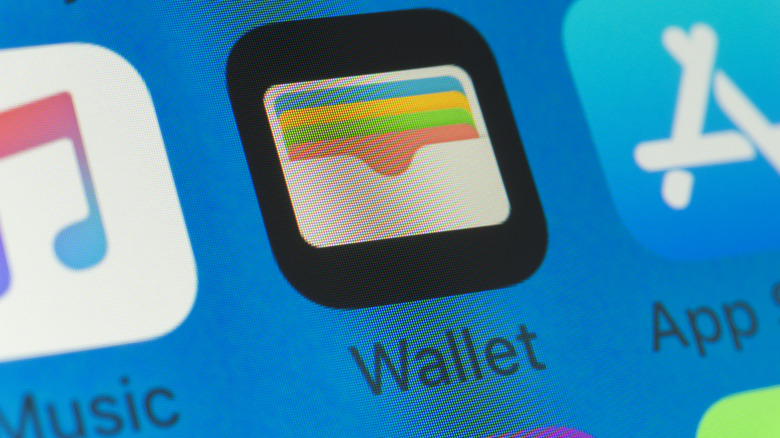

Close-up shot of the Apple Wallet app icon on an iPhone screen.
Stockcam/Getty Images

Apple Pay and Apple Wallet have distinct functionalities, even though the two names are often used interchangeably. Apple Wallet is an iPhone app (with a companion tool for Apple Watch) that acts a digital wallet to store digital versions of debit and credit cards, auto insurance cards, boarding passes, IDs and more. Apple Pay, on the other hand, is Apple’s digital payment service that lets you use your cards to make purchases at a physical location or online.

For Apple Pay in-store, you tap your iPhone on an NFC terminal and press the Side button twice. Your iPhone will then confirm it’s you with Face/Touch ID or your PIN to complete a purchase. Online Apple Pay usage is similar to services like PayPal, where you choose a card and authenticate. Regardless of what you buy or where, you’re using Apple Pay to purchase something with a card stored in your Apple Wallet.

Wallet can also hold plenty of items not directly tied to payments, like concert tickets or store loyalty cards. In this case, it acts as a secure place to hold these items and keep them easily accessible. 

What happens when you pay with Apple Pay

Using a payment card with Apple Pay involves more than Apple Wallet storing your card details and passing them to the merchant. Instead, it creates a unique Device Account Number (DAN) for each card and stores this in the Secure Element, a chip on your device for securely storing sensitive info. 

When you make a payment, Apple sends the DAN, along with a one-time security code specific to that transaction, to the merchant. The store never sees your real credit or debit card number. And Apple ‘s servers don’t keep identifying information about you with the transaction history.

This is also why an authentication step is required when using Apple Pay. Face ID can be awkward with tap-to-pay on a terminal, so you may want to scan your face before using the NFC touchpoint. As a fallback, you can use your passcode instead. Confirmation is also required for online purchases, whether it’s the App Store, a food app order or a purchase through Safari. Apple Wallet crosses paths with the payment process, since you can choose from any cards you have in your Wallet.

You can check the last four digits of a card’s unique Device Account Number in Apple Wallet. Open Apple Wallet, select a card, and tap the three-dot (…) button followed by Card Details. There, tap Card Information, and after authenticating with Face ID, you’ll see the Apple Pay last four digits at the bottom. You can use this to distinguish purchases from Apple Pay compared to other ways you use the card.

Apple Cash is the person-to-person part
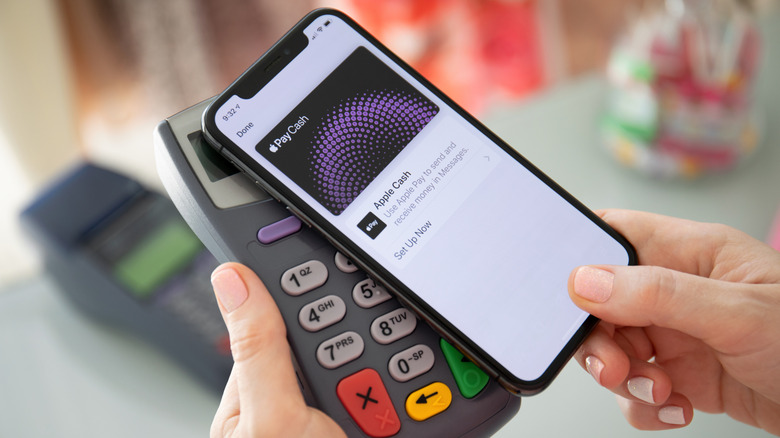

Apple Cash on an iPhone being used to make an NFC purchase.
DenPhotos/Shutterstock

Sending money to a friend or family member is a function of Apple Cash, a feature that ties into Apple Pay. With Apple Cash, you can send or request money over iMessage or directly through the Apple Cash card in your Wallet using Tap to Cash. It’s as easy as selecting someone from your contacts, entering the amount you want to send and authenticating. Of course, the contact’s phone number has to be linked to their Apple Account, and they have to be eligible for Apple Cash.

After you receive some money, you’ll have access to an Apple Cash “card,” which usually sits near the top of your Apple Wallet. From its menu, you can add money through a debit card, set up recurring payments to others or transfer to your bank. Apple Cash is not a universal payment service; it’s only good for those with Apple devices. If the recipient has Android only, you’ll have to use another service like Venmo.

As we’ve seen, Apple Wallet and Apple Pay often interact, yet are separate and serve different functions. Apple Wallet is where all your digital payment options are stored. Apple Pay is how you pay merchants or make online purchases. And Apple Cash is how you send money to friends or family.


Original Source Link

Share. Facebook Twitter Pinterest LinkedIn Reddit WhatsApp Telegram Email
Previous ArticleNew Mystery and Thriller Books to Read | September 8
Next Article Sen. John Fetterman makes surprise appearance at GOP midterm convention

Related Posts

A Stealth Startup Thinks It Just Hacked the Memory Shortage

September 9, 2026

How To Change And Customize Your Apple CarPlay Display

September 9, 2026

Meta Failed to Catch Hundreds of AI Child Abuse Ads. Some Included Images of Real Kids

September 8, 2026

How To Reset The Camera Settings On Your iPhone

September 8, 2026

Two of the Universe’s Great Mysteries May Have Their Own Dimension

September 7, 2026

Is It Safe To Buy A Refurbished iPhone From Walmart?

September 7, 2026
Recent Posts

New Hampshire picks Pappas and Sununu in primary for open Senate seat

A Stealth Startup Thinks It Just Hacked the Memory Shortage

Solve Murders at the End of the World

Netflix Will Report Box Office On La Bola Negra, Cliff Booth, Narnia, More

Donald Trump Gifted $45K to Natalie Harp & Two Other Aides — Report

Sarah Michelle Gellar vs. Ghostface in Angry Orchard’s ‘Scream’ Collab!

CNN Responds After Viewers Claim Harry Enten Is Sneaking Ads Into His Poll Coverage

Categories
  • Books (2,339)
  • Box Office (1,721)
  • Cover Story (62)
  • Featured Stories (37)
  • Film (2,356)
  • Horror (2,343)
  • Music (2,409)
  • Politics (1,508)
  • Reality TV (1,798)
  • Technology (2,349)
  • Television (2,224)
  • Uncategorized (1)
Archives
Useful Links
  • About
  • Contact
  • Privacy Policy
  • DMCA / Copyright Disclaimer
  • Amazon Disclaimer
  • Terms and Conditions
Popular Posts

The Axis of Evil Summit By Howard Bloom

September 4, 2026

Rock + Metal Bands That Released Albums 40 Years Apart

September 4, 2026

EU joins U.S. sanctions push as South Korea weighs Hormuz deployment

September 4, 2026

Japan Is Launching a Probe to Collect the First-Ever Samples From a Martian Moon

September 4, 2026

From Fighter Jets to Route 66, Richard Herman Finds a New Path in “Discovery Road”

September 4, 2026

‘The Odyssey’ Gets Extended Run In Imax During September

September 4, 2026

Jelly Roll Knew Political Comments Could Cost Him Half His Fans, Big & Rich Singer Says

September 4, 2026
Categories
  • Books (2,339)
  • Box Office (1,721)
  • Cover Story (62)
  • Featured Stories (37)
  • Film (2,356)
  • Horror (2,343)
  • Music (2,409)
  • Politics (1,508)
  • Reality TV (1,798)
  • Technology (2,349)
  • Television (2,224)
  • Uncategorized (1)
Recent Posts
  • Slipknot come back fighting on surprise new single ‘Arsenal’ – their first music since Sid Wilson’s exit
  • Sen. John Fetterman makes surprise appearance at GOP midterm convention
  • Apple Wallet Is Not The Same As Apple Pay: Here’s How They Differ
  • New Mystery and Thriller Books to Read | September 8
  • Imax Tops $600 Million In Q3 Box Office So Far On ‘The Odyssey’
  • Ariana Biermann Faces Messy Love Quadrangle at Next Gen NYC Reunion
  • 5 Most Terrifying Live Casino Concepts Imaginable
Our Picks

Slipknot come back fighting on surprise new single ‘Arsenal’ – their first music since Sid Wilson’s exit

Sen. John Fetterman makes surprise appearance at GOP midterm convention

Apple Wallet Is Not The Same As Apple Pay: Here’s How They Differ

New Mystery and Thriller Books to Read | September 8

© 2026 Hollywood News Reporter. All rights reserved. All articles, images, product names, logos, and brands are property of their respective owners. All company, product and service names used in this website are for identification purposes only. Use of these names, logos, and brands does not imply endorsement unless specified. By using this site, you agree to the Terms & Conditions and Privacy Policy.

Type above and press Enter to search. Press Esc to cancel.

We use cookies on our website to give you the most relevant experience by remembering your preferences and repeat visits. By clicking “Accept All”, you consent to the use of ALL the cookies. However, you may visit "Cookie Settings" to provide a controlled consent.
Cookie SettingsAccept All
Manage consent

Privacy Overview

This website uses cookies to improve your experience while you navigate through the website. Out of these, the cookies that are categorized as necessary are stored on your browser as they are essential for the working of basic functionalities of the website. We also use third-party cookies that help us analyze and understand how you use this website. These cookies will be stored in your browser only with your consent. You also have the option to opt-out of these cookies. But opting out of some of these cookies may affect your browsing experience.
Necessary
Always Enabled
Necessary cookies are absolutely essential for the website to function properly. These cookies ensure basic functionalities and security features of the website, anonymously.
CookieDurationDescription
cookielawinfo-checkbox-analytics11 monthsThis cookie is set by GDPR Cookie Consent plugin. The cookie is used to store the user consent for the cookies in the category "Analytics".
cookielawinfo-checkbox-functional11 monthsThe cookie is set by GDPR cookie consent to record the user consent for the cookies in the category "Functional".
cookielawinfo-checkbox-necessary11 monthsThis cookie is set by GDPR Cookie Consent plugin. The cookies is used to store the user consent for the cookies in the category "Necessary".
cookielawinfo-checkbox-others11 monthsThis cookie is set by GDPR Cookie Consent plugin. The cookie is used to store the user consent for the cookies in the category "Other.
cookielawinfo-checkbox-performance11 monthsThis cookie is set by GDPR Cookie Consent plugin. The cookie is used to store the user consent for the cookies in the category "Performance".
viewed_cookie_policy11 monthsThe cookie is set by the GDPR Cookie Consent plugin and is used to store whether or not user has consented to the use of cookies. It does not store any personal data.
Functional
Functional cookies help to perform certain functionalities like sharing the content of the website on social media platforms, collect feedbacks, and other third-party features.
Performance
Performance cookies are used to understand and analyze the key performance indexes of the website which helps in delivering a better user experience for the visitors.
Analytics
Analytical cookies are used to understand how visitors interact with the website. These cookies help provide information on metrics the number of visitors, bounce rate, traffic source, etc.
Advertisement
Advertisement cookies are used to provide visitors with relevant ads and marketing campaigns. These cookies track visitors across websites and collect information to provide customized ads.
Others
Other uncategorized cookies are those that are being analyzed and have not been classified into a category as yet.
SAVE & ACCEPT