
Close Menu
Hollywood News Reporter
  • Home
  • Film
  • Television
  • Box Office
  • Reality TV
  • Music
  • Horror
  • Books
  • Technology
  • Politics
  • Cover Story
  • Contact
    • About
    • Privacy Policy
    • DMCA / Copyright Disclaimer
    • Amazon Disclaimer
    • Terms and Conditions

Subscribe to Updates

Get the latest creative news from FooBar about art, design and business.

What's Hot

Riley Green, Jon Pardi & More Best Moments

Trump says Bombardier can’t sell in U.S. unless Canada aerospace giant builds there

How To Reset The Camera Settings On Your iPhone

Facebook X (Twitter) Instagram
Hollywood News Reporter
  • Home
  • Film
  • Television
  • Box Office
  • Reality TV
  • Music
  • Horror
  • Books
  • Technology
  • Politics
  • Cover Story
  • Contact
    • About
    • Privacy Policy
    • DMCA / Copyright Disclaimer
    • Amazon Disclaimer
    • Terms and Conditions
Hollywood News Reporter
You are at:Home»Technology»How To Reset The Camera Settings On Your iPhone
Technology

How To Reset The Camera Settings On Your iPhone

By AdminSeptember 8, 2026
Facebook Twitter Pinterest Telegram LinkedIn Tumblr Email Reddit
How To Reset The Camera Settings On Your iPhone


Changing your iPhone camera settings back to default is pretty simple, so long as you don’t mind flipping a few dozen toggles.
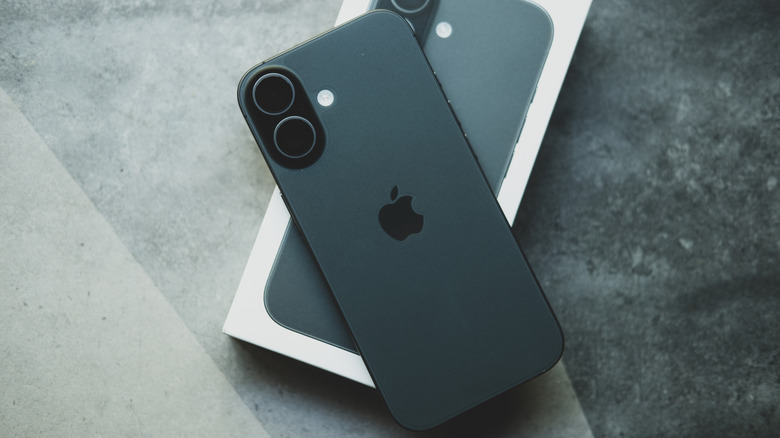

Image of iPhone screen down.
Dontree_M/Shutterstock

While it’s unlikely your iPhone will ever beat out a purpose-built camera, there’s a lot you can do to optimize its capture quality. Even an out-of-date iPhone will be chock-a-block with ways to take your photography and videography to the next level. However, sometimes the best way to measure that improvement is by going back to the basics of default settings.

There are many ways to improve your smartphone photography with any model, and iPhones are no different; there are thousands of great guides to help you choose the right settings for the pictures and videos you want. On the other hand, it can be hard to judge the change in quality if you’ve already spent a long time messing with your settings — or if you have a second-hand phone that arrived pre-muddled. Sometimes, it’s desirable to bring your camera back to default settings and build from there, but there’s no single button to carry out that reset. Luckily, it’s still relatively simple to set everything back to default.

The default iPhone camera settings
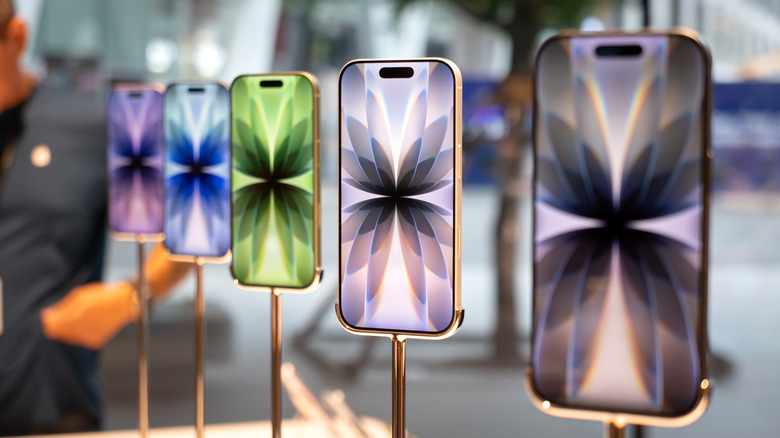

Image of a row of iPhones.
Wongsakorn 2468/Shutterstock

First things first, you’ll want to go from Settings to Camera, where you’ll find everything available to you laid out. Given how much the iPhone has changed in the last few years, this layout won’t be the same for every phone. Luckily, one thing that generally will be the same is the Preserve Settings option. Under this option are a number of toggles which, when turned off, automatically reset their given setting to default when you open the camera app. All of these toggles are initially turned off, save for the Live Photo toggle, meaning your camera already mostly returns to its original settings after you exit the application.

There are also further settings within this section that can be set back to a default state. Your frame rate for recording video should be 1080p at 30 fps (or 240 fps for Slo-mo), and should be the same for Cinematic recording if your phone supports the option. Further defaults include Stereo in Record Sound (or Spatial Audio on the iPhone 16 and above) and High Efficiency in the Formats section. Grid and Level shooting will also be turned off, while Smart HDR and Prioritise Faster Shooting should be turned on.

Default camera settings for iOS 26


Image of a person taking a picture of cherry tomatoes with an iPhone.
Studio4/Getty Images

iPhones that can install iOS 26 have a few extra settings with their own defaults. For instance, Lens Correction, Macro Control, and Scene Detection should all start toggled on. Furthermore, the default resolution under Formats should be 24 MP. ProRAW & Resolution Control will also be off.

This is a lot to keep tabs on, of course, so there is a Hail Mary for those who don’t want to sift through a dozen toggles. If you navigate via Settings > Transfer or Reset iPhone, you can find the Reset options. There’s no option to just reset your camera settings, but you can reset all of your iPhone settings. This will remove any Apple Pay cards, keys and passes that you have, and bring all settings to their defaults, so only use this option if you’re absolutely sure and can switch back anything you don’t want as default.


Original Source Link

Share. Facebook Twitter Pinterest LinkedIn Reddit WhatsApp Telegram Email
Previous ArticleBook Riot’s Deals of the Day for September 5, 2026
Next Article Trump says Bombardier can’t sell in U.S. unless Canada aerospace giant builds there

Related Posts

Two of the Universe’s Great Mysteries May Have Their Own Dimension

September 7, 2026

Is It Safe To Buy A Refurbished iPhone From Walmart?

September 7, 2026

The Best Laptop Backpacks for Work, Travel, and Everything Between (2026)

September 6, 2026

Is It Safe To Leave Your Phone’s Bluetooth Running All The Time?

September 6, 2026

There May Not Be an iPhone 18 This Year

September 5, 2026

How To See What’s Taking Up Space On Your Windows PC

September 5, 2026
Recent Posts

EU announces funding boost for Greeland amid Trump threats

Two of the Universe’s Great Mysteries May Have Their Own Dimension

Focus in on the New Fiction to Prioritize This Month

‘Odyssey’ No. 1 Over ‘Spider-Man’; ‘Brand New Day’ $2.4B

Rob Reiner Wins Posthumous Emmy for ‘The Bear’ After His Death

A24 Greenlights ‘Backrooms 2’ as Kane Parsons Returns to Direct the Horror Phenom

Fox Business Correspondent Blasts Trump For New Mexico Renaming Stunt

Categories
  • Books (2,335)
  • Box Office (1,717)
  • Cover Story (62)
  • Featured Stories (37)
  • Film (2,352)
  • Horror (2,339)
  • Music (2,405)
  • Politics (1,504)
  • Reality TV (1,794)
  • Technology (2,345)
  • Television (2,220)
  • Uncategorized (1)
Archives
Useful Links
  • About
  • Contact
  • Privacy Policy
  • DMCA / Copyright Disclaimer
  • Amazon Disclaimer
  • Terms and Conditions
Popular Posts

Sean Ono Lennon welcomes baby boy, Aurelius – John Lennon and Yoko Ono’s first grandchild

September 2, 2026

Zelenskyy warns airlines to avoid Russian airspace as drone war grows

September 2, 2026

The Cybercab Is Almost Here. Now Comes the Hard Part

September 2, 2026

New Mystery and Thriller Books to Read | September 1

September 2, 2026

Universal First To Hits $3B Int’l, ‘Dog Stars’ Bombs

September 2, 2026

Rihanna’s Skin-Baring Lingerie Look Is Almost Too Bold To Handle

September 2, 2026

Award-Winning Filmmaker Robert W. Filion’s Supernatural Horror Anthology ‘Echoes from the Void’ Now Streaming on Amazon Prime

September 2, 2026
Categories
  • Books (2,335)
  • Box Office (1,717)
  • Cover Story (62)
  • Featured Stories (37)
  • Film (2,352)
  • Horror (2,339)
  • Music (2,405)
  • Politics (1,504)
  • Reality TV (1,794)
  • Technology (2,345)
  • Television (2,220)
  • Uncategorized (1)
Recent Posts
  • Riley Green, Jon Pardi & More Best Moments
  • Trump says Bombardier can’t sell in U.S. unless Canada aerospace giant builds there
  • How To Reset The Camera Settings On Your iPhone
  • Book Riot’s Deals of the Day for September 5, 2026
  • How Summer 2026 Hit a Record $4.76 Billion in U.S.
  • Livvy Dunne Serves Beer & a Whole Lotta Curves in Body-Hugging Tank Top
  • How the Cat in the Hat Became Internet Horror’s Fastest Built Boogeyman
Our Picks

Riley Green, Jon Pardi & More Best Moments

Trump says Bombardier can’t sell in U.S. unless Canada aerospace giant builds there

How To Reset The Camera Settings On Your iPhone

Book Riot’s Deals of the Day for September 5, 2026

© 2026 Hollywood News Reporter. All rights reserved. All articles, images, product names, logos, and brands are property of their respective owners. All company, product and service names used in this website are for identification purposes only. Use of these names, logos, and brands does not imply endorsement unless specified. By using this site, you agree to the Terms & Conditions and Privacy Policy.

Type above and press Enter to search. Press Esc to cancel.

We use cookies on our website to give you the most relevant experience by remembering your preferences and repeat visits. By clicking “Accept All”, you consent to the use of ALL the cookies. However, you may visit "Cookie Settings" to provide a controlled consent.
Cookie SettingsAccept All
Manage consent

Privacy Overview

This website uses cookies to improve your experience while you navigate through the website. Out of these, the cookies that are categorized as necessary are stored on your browser as they are essential for the working of basic functionalities of the website. We also use third-party cookies that help us analyze and understand how you use this website. These cookies will be stored in your browser only with your consent. You also have the option to opt-out of these cookies. But opting out of some of these cookies may affect your browsing experience.
Necessary
Always Enabled
Necessary cookies are absolutely essential for the website to function properly. These cookies ensure basic functionalities and security features of the website, anonymously.
CookieDurationDescription
cookielawinfo-checkbox-analytics11 monthsThis cookie is set by GDPR Cookie Consent plugin. The cookie is used to store the user consent for the cookies in the category "Analytics".
cookielawinfo-checkbox-functional11 monthsThe cookie is set by GDPR cookie consent to record the user consent for the cookies in the category "Functional".
cookielawinfo-checkbox-necessary11 monthsThis cookie is set by GDPR Cookie Consent plugin. The cookies is used to store the user consent for the cookies in the category "Necessary".
cookielawinfo-checkbox-others11 monthsThis cookie is set by GDPR Cookie Consent plugin. The cookie is used to store the user consent for the cookies in the category "Other.
cookielawinfo-checkbox-performance11 monthsThis cookie is set by GDPR Cookie Consent plugin. The cookie is used to store the user consent for the cookies in the category "Performance".
viewed_cookie_policy11 monthsThe cookie is set by the GDPR Cookie Consent plugin and is used to store whether or not user has consented to the use of cookies. It does not store any personal data.
Functional
Functional cookies help to perform certain functionalities like sharing the content of the website on social media platforms, collect feedbacks, and other third-party features.
Performance
Performance cookies are used to understand and analyze the key performance indexes of the website which helps in delivering a better user experience for the visitors.
Analytics
Analytical cookies are used to understand how visitors interact with the website. These cookies help provide information on metrics the number of visitors, bounce rate, traffic source, etc.
Advertisement
Advertisement cookies are used to provide visitors with relevant ads and marketing campaigns. These cookies track visitors across websites and collect information to provide customized ads.
Others
Other uncategorized cookies are those that are being analyzed and have not been classified into a category as yet.
SAVE & ACCEPT